
School technology budgets increasingly have to support several goals at once. Districts want clearer instruction, stronger student participation, secure access to familiar applications, and equipment that does not overwhelm small technical teams. Interactive displays attract attention because they can address those needs through one classroom platform.
For two decades, Nework has developed professional audiovisual expertise from its California headquarters, applying smarter display and collaboration technology to education, business, and home settings. Touch, wireless presentation, annotation, audio, video, and AI support the platform. School buyers can request a demonstration to examine classroom efficiency, purchasing options, deployment simplicity, maintenance demands, and after-sales safeguards.

Budgets Are Shifting Toward Everyday Classroom Value
Several forces can move U.S. districts to direct more budget toward classroom technology: aging equipment, permanent use of cloud learning systems, stronger security and device-management requirements, and the need to support whole-class, small-group, and remote instruction through the same room. These are recurring operational needs rather than a short-lived purchasing trend.
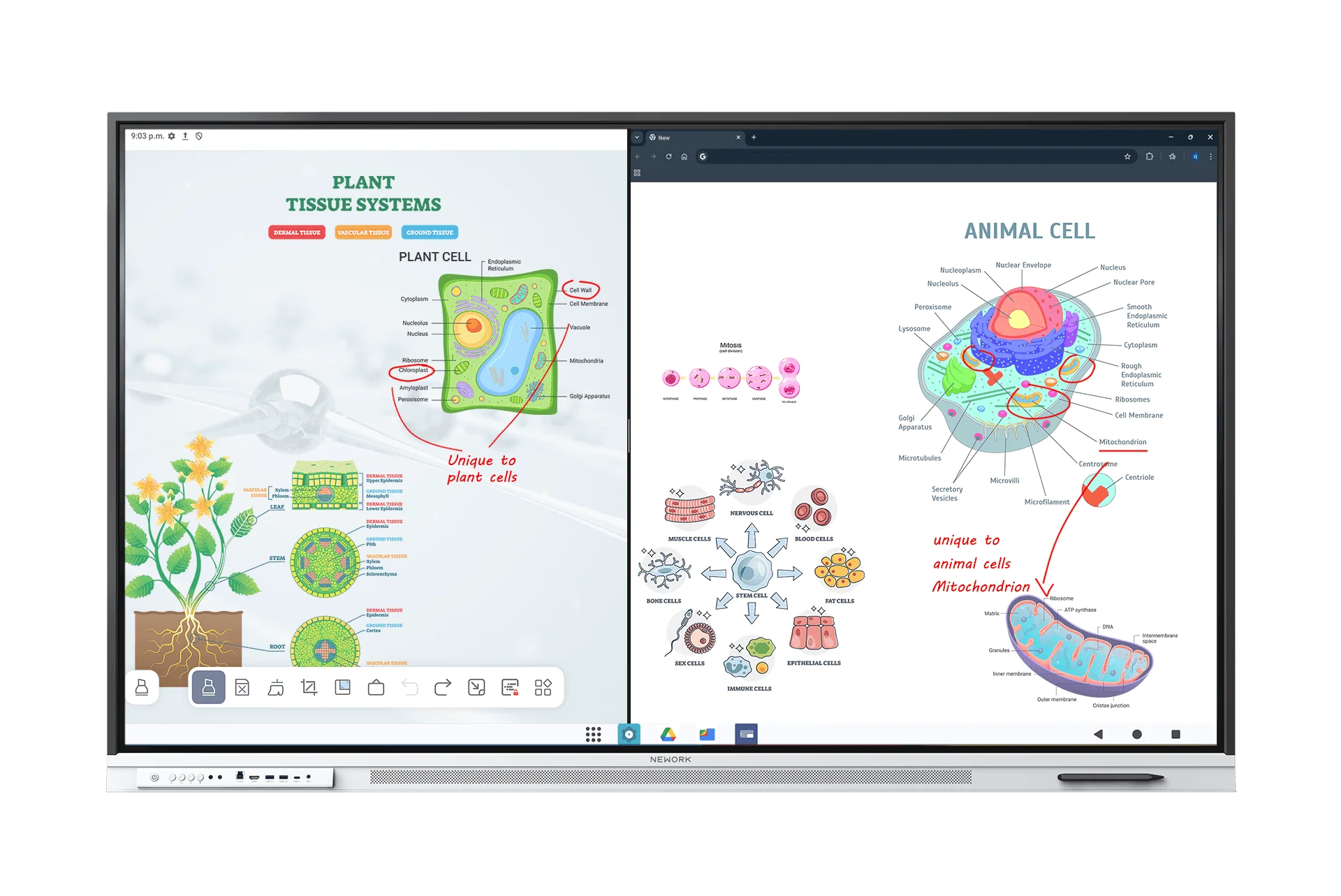
Classroom visibility is supported by a Nework smart board with a 4K anti-glare display, a 178-degree viewing angle, dual 20W speakers, and responsive touch. Text, diagrams, and video remain easier to follow from different seats, while under-5-ms writing response helps digital annotation feel immediate during explanation.
Up to 50 touch points allow several students to work at the board, with as many as ten contributing to a shared activity. Pen, finger, and palm input broaden access, while handwriting recognition, grids, shapes, geometry tools, timers, and an infinite canvas support subjects beyond a basic presentation.
Student devices can remain part of the lesson rather than becoming competing screens. Laptops, Chromebooks, iPads, and phones can connect for casting or collaboration. Teachers can annotate slides, documents, and video, then provide a QR code or cloud-saved record so learners can review the material afterward.
These functions explain why interactive boards can earn budget priority: one purchase supports direct instruction, group practice, visual explanation, device sharing, and lesson continuity. The relevant question is not whether a screen looks modern, but whether teachers can use it repeatedly without losing instructional time.
Security and Manageability Shape District Decisions
Classroom value must be matched by administrative control. Districts can use a Google EDLA-certified Android 14 platform for secure sign-in, Google Play access, Google Workspace and Classroom integration, automatic security updates, and an enterprise-oriented environment aligned with tools already managed for students and staff.
District technicians can establish consistent room settings through centralized administration and remote configuration. When boards share the same operating platform, connection methods, and update process, support staff can document one routine, train teachers more clearly, and reduce the risk that each classroom becomes a unique installation.
For Nework, higher district spending creates an opening only when products answer those operational demands. The Google EDLA-certified environment, centralized administration, familiar classroom applications, and optional Windows OPS route align with buyers seeking secure standardization while adding a full PC only where a course or district application requires it.
One front USB-C connection delivers 4K video, audio, data, touch control, and device power. Presentation can also continue through HDMI or wireless casting when other equipment is used. Fewer adapters reduce lesson delays and help substitute or visiting teachers begin more easily.
Management features belong in the budget conversation because purchase price is only one part of ownership. Configuration time, update routines, teacher training, replacement accessories, and support visits all consume resources. A standardized board can protect classroom availability by reducing the number of preventable technical interruptions.
Matching Features to Rooms Protects Investment
Districts do not need identical capabilities in every space. The E Series focuses on teaching and presentation, while the P Series adds a 48MP 4K camera, an eight-microphone array, and professional conferencing features for hybrid learning, training, administration, or rooms that regularly connect with outside participants.
Selecting a Nework smart board by use case allows buyers to avoid paying for integrated conferencing hardware in classrooms that do not require it. Conversely, purchasing separate cameras, microphones, and speakers for a hybrid room may create more installation and compatibility work than choosing an all-in-one P Series configuration.
Screen size should follow viewing distance and room arrangement. Options of 55, 65, and 75 inches let planners match smaller learning areas, standard classrooms, and larger training spaces. A correctly sized display can improve readability and participation without spending on dimensions that the room cannot use effectively.
Budget protection also requires commercial clarity. Nework currently lists the E Series from $1,599, giving districts a visible starting point for initial planning. For larger deployments, purchasers should confirm the selected model, screen size, quantity, shipping requirements, and any available commercial terms directly with sales before finalizing a budget. A formal quote should identify the eligible model, configuration, quantity, and discount basis; the starting price should not automatically be treated as the calculation base without confirmation.
District leaders can protect future flexibility by documenting a baseline room configuration and a short list of approved variations. That approach keeps purchasing consistent while allowing specialized classrooms, training areas, and hybrid spaces to add only the capabilities their users genuinely need.
Rising EdTech budgets create an opportunity to improve classroom practice, but they also raise expectations for evidence and planning. Schools that connect instructional outcomes with security, standardization, total equipment cost, and service can direct funds toward technology that remains useful long after the installation is complete.
