
Desktop 3D printing has become a practical option for prototyping, product development, customized parts, and small batch manufacturing. Unlike large industrial systems, desktop machines can fit into smaller workspaces while providing greater flexibility for short production runs. However, choosing the best desktop 3D printer depends on more than print speed or build volume. Material compatibility, reliability, workflow efficiency, print quality, and operating requirements all affect whether a printer is suitable for repeated production.
Start With Your Production Requirements

The right printer should match what you actually intend to produce. Before comparing models, consider the size, shape, material, quantity, and visual requirements of your parts.
For example, a printer used mainly for functional prototypes may need reliable dimensional accuracy and compatibility with materials such as PETG or ABS. A machine producing decorative models may place greater emphasis on multi-color printing and surface appearance. If several identical components need to be produced regularly, consistent operation and efficient material use become more important.
This is why the best desktop 3D printer is not necessarily the one with the highest specifications. Its value depends on how well its capabilities match the production workflow.
Consider Build Volume and Production Capacity
Build volume directly affects how many parts can be produced in one print. A larger build area can allow multiple smaller components to be printed simultaneously, reducing the number of separate production cycles.
For small scale manufacturing, this can make a meaningful difference. Instead of evaluating a printer only by the maximum size of a single model, consider how efficiently its build space can be used for batches. A larger build volume can also reduce the need to divide larger products into multiple sections.
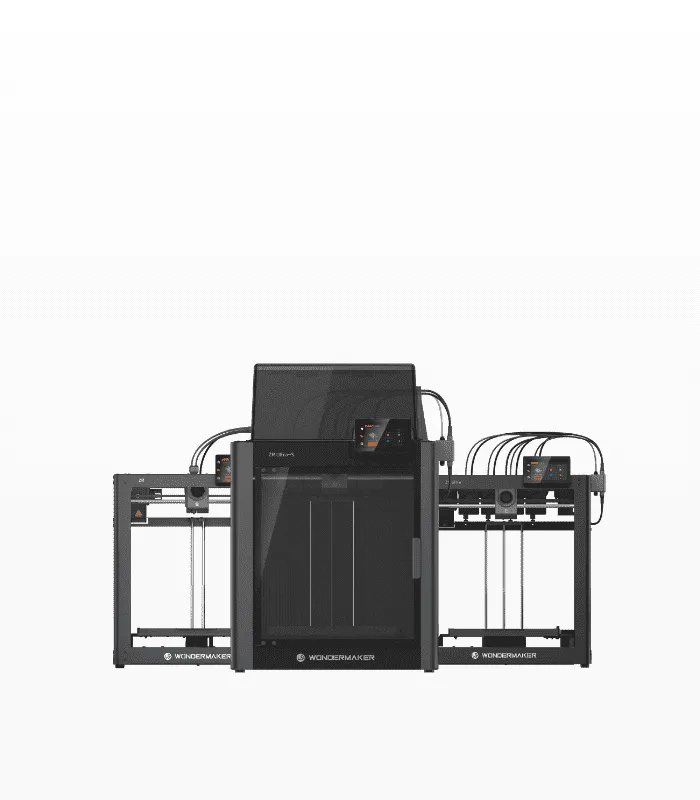
The WonderMaker ZR, for example, provides a 300 × 300 × 300 mm print volume. The ZR Ultra and ZR Ultra S provide a 300 × 270 × 290 mm printing size. These specifications give users room to evaluate whether a machine fits their particular parts and batch requirements.
Evaluate Material and Toolhead Flexibility
Material compatibility is another important consideration. Different applications may require different filament characteristics, so a production printer should support the materials relevant to the intended products.
Multi-toolhead systems can also be useful when production involves several materials or colors. Instead of manually changing filament throughout a project, independent toolheads can provide a more structured workflow for multi-material printing.
WonderMaker 3D offers the ZR series, including models with multiple toolheads. The ZR Ultra and ZR Ultra-S feature four toolheads, while the ZR supports four-color printing with one toolhead. The ZR Ultra-S also has independently heated toolheads and supports temperatures up to 300°C.
Look Beyond Maximum Print Speed
Print speed is useful, but it should not be considered in isolation. In production environments, the practical question is how quickly a printer can complete reliable parts with minimal intervention.
High advertised speeds may be less important if frequent calibration, failed prints, or material changes interrupt the workflow. Features such as auto-leveling, filament detection, power recovery, and effective thermal management can contribute to more consistent operation.
The WonderMaker ZR, for instance, lists a maximum print speed of 300 mm/s, while the ZR Ultra supports speeds up to 600 mm/s. Both also include automatic leveling and filament detection. These features address different parts of the production process rather than relying on speed alone.
Assess Software and Workflow
A 3D printer is only part of the production system. Slicing software determines how digital models are converted into printable instructions, while monitoring tools can affect how easily users manage longer print jobs.
For users producing multiple parts, software should make model preparation, material assignment, and print management straightforward. Wonderprint-Orca, the slicing software developed for WonderMaker 3D printers, is based on Orca Slicer and is optimized for the ZR series. It includes multi-color mapping, toolhead path planning, material profiles, and slicing functions designed for multi-material printing.
WonderMaker 3D also provides the WonderMaker App, which can monitor printer status through a local network and provide access to printing history and camera feeds where supported.
Think About the Working Environment
The workspace and materials should also influence your decision. Some filaments benefit from controlled printing environments, particularly materials that are more sensitive to temperature changes.
An enclosed printer can provide additional environmental control and may be useful when working with materials such as ABS and ASA. The WonderMaker ZR Ultra-S has a 60°C enclosed chamber, a 100°C heated bed, and HEPA 13 filtration with an active carbon filter. These features are relevant for users who need a more controlled printing environment.
However, enclosure requirements should be assessed according to the materials and applications involved rather than treated as a universal requirement.
Calculate the Total Cost of Production
The purchase price is only one part of the cost of running a desktop 3D printer. Material consumption, failed prints, maintenance, electricity, replacement components, and operator time can all affect the final cost per part.
Material efficiency is particularly important for small batch production. A printer that reduces unnecessary filament waste can make repeated production more economical. This becomes increasingly relevant when producing larger quantities or multi-color models.
Ultimately, comparing printers based on cost per successful finished part can provide a more useful picture than comparing their initial prices alone.
Choose a Printer Based on the Complete Workflow
Selecting the best desktop 3D printer for small scale production requires looking at the entire process from digital model preparation to finished part. Build volume, material compatibility, toolhead configuration, print speed, software, reliability features, workspace requirements, and operating costs should all be considered together.
WonderMaker 3D provides several options within its ZR series, including single-toolhead four-color printing and four-toolhead configurations, giving users different approaches to multi-color and multi-material production.
For businesses, designers, educators, and makers moving beyond occasional printing, the most suitable printer is the one that supports their actual production requirements while keeping the workflow practical and repeatable. A careful evaluation of these factors can help turn desktop 3D printing from an occasional prototyping tool into a useful solution for small batch production.
